How to find out the name of a song from a snippet of sound?

How many times have you been in a situation where you heard a great song on the radio or in a YouTube video, but you had no idea who was singing it, and none of the commenters could tell you the name?
Contents of the article:
In such situations, various music recognition programs such as Tunatic, AudioTag, Shazam and Midomi can help. In this article, we will review and test their main characteristics, and also point out the pros and cons of each.
For example, on the website kelyrics. com, first you need to determine the search language and enter a word or sentence in the field, such as i love you i, the result will be displayed in text form.
Shazam

Shazam is the most popular service, with apps for iPhone and Android and a desktop client for Windows computers. In the app settings, you can set Shazam to start searching every time you launch the app. Very helpful.
Shazam only needs to listen to a clip for a few seconds to gain access to all the information it needs about the track, such as album art or the ability to buy the piece on Amazon. In addition, you can share this composition with your friends on social networks, watch the video, check out the artist’s tours and view his discography. The application saves your entire search history.
Installing the application is completely free. The app has a stylish design and great features. Of course, the application requires Internet access to work. To start identifying, simply press one button and “Listening” will appear, followed a few seconds later by the song name. This service has been tested on Android smartphones without any problems. The program defines all the proposed songs.

Google Assistant & amp; Siri
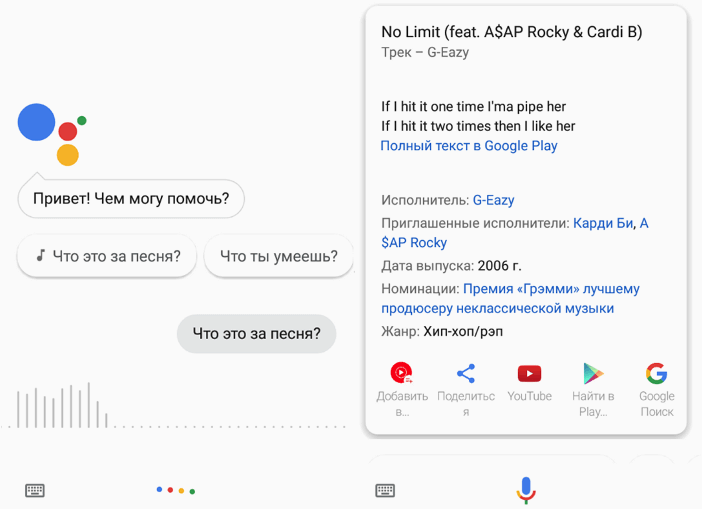
There is no need to install a separate application. These two digital assistants work seamlessly. Just call up the voice assistant using the Home button and say something like “What song is playing now?” and just say something like “What song is playing now?” Recognition begins immediately after this.
We tried using Siri and Google Assistant to find the most popular tracks. We were pleased with the results. Therefore, if you don’t want to install another application, this is a suitable option.
SoundHound
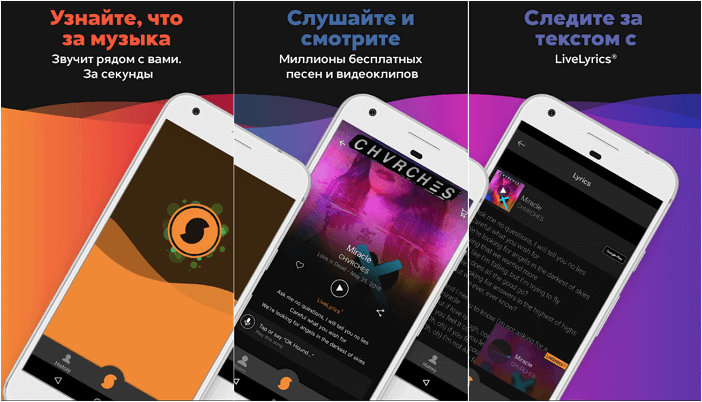
Since SoundHound is Shazam’s biggest competitor, it’s difficult to pinpoint which option is better. SoundHound uses voice control, allowing you to say, “OK, Hound. What’s this song?” and it will immediately recognize the song. You can also search for a song using a memorized word.
Tap the orange buttons to identify music, view lyrics in real time, find music videos, and share them on social media. The app is ready to answer questions like, “What was the latest Taylor Swift song?” and other questions. And all this is hands-free.
The app is available for Android and iOS.
Midomi
Midomi is an online music recognition service that doesn’t require any file uploads. With the press of a button, the app starts playing the desired track. Recording snippets is extremely fast, requiring less than 10 seconds to identify the artist. Before recording, the app requests permission to access the microphone.
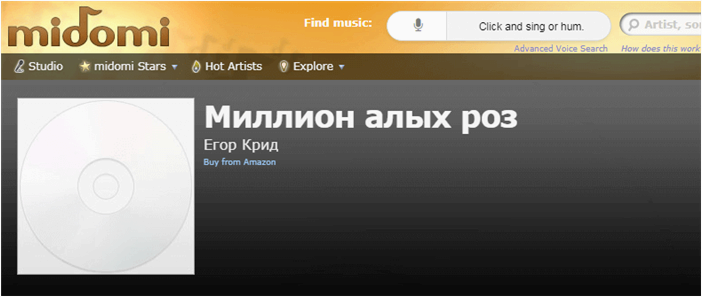
Search results show the title of the song, the artist, and the album cover. You’ll also be offered the option to search for music videos or purchase MP3 files. You can listen to the entire album or short 30-second excerpts to get an idea of the purchasing options for your favorite tracks.
AudioTag
To start searching, visit the website and download the file containing the desired fragment, or enter a link. The website’s developers recommend uploading tracks between 15 and 45 seconds long, but you can upload a full song.
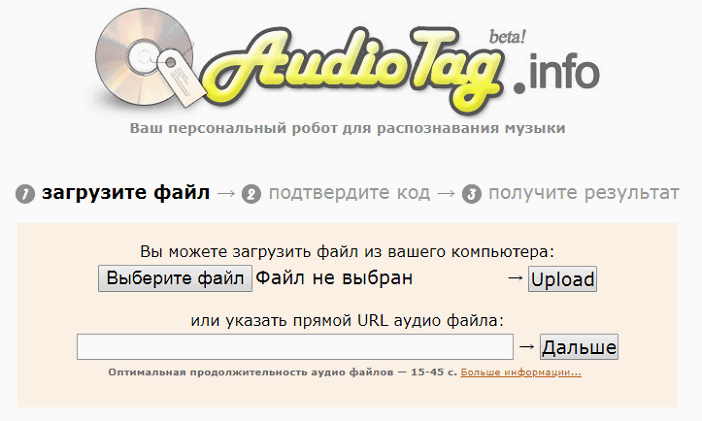
The website supports MP3, WAV, and OGG formats. There’s a button at the top of the website for switching to Russian. If the quality of the excerpts is low and the robot can’t clearly identify the title, several options are presented.
The analysis takes 20-30 seconds. Unfortunately, if you hear music on the radio, you won’t be able to find it right away. Therefore, it takes time to record the fragments. The developers claim that the robot can handle low-quality recordings.
After testing, AudioTag was able to find all five tracks. It easily handled both songs from last year and those from ten years ago. The only drawback is that additional song fragments need to be recorded and uploaded to the site.
Tunatic
Tunatic is a free desktop application; it can be installed on Windows and Mac OS operating systems. After simple installation, click “Tunatic ready.” to define the song. The controls are very simple. Just press the white magnifying glass button while the track is playing. After connecting to the server, the message “Identifying song. Please wait” appears – this is a program that collects data and sends it to the server to find a match in the database. If the microphone does not work or the music cannot be heard, the message “Signal is too weak. Please check the microphone.” If a song is identified, the artist and artist name are displayed.
The test results are as follows: out of 5 foreign songs, only 3 were found. Searching for each track takes approximately 45 seconds. We’re not sure if this is a pattern or a coincidence, but we couldn’t identify any tracks older than 2010.
Conclusions
To sum up our review, Shazam offers a wide range of solutions for both desktop computers and almost all mobile devices, as well as an almost instantly recognizable first place. Second place Midomi quickly and accurately finds suggested tracks and is able to find them in a matter of seconds. and, in addition, can analyze recordings on site without downloading files; in third place is AudioTag, which identifies all passages, but can only search in files stored on the computer; in fourth place is Tunatic, since he did not cope with all the proposed works. Go to the program.