Professional Flight Simulators for Drone Operator Training
We recommend using a professional drone flight simulator for high-quality and safe training for unmanned aerial systems (UAS) operators. These programs provide realistic training conditions, eliminating risks to equipment and the environment. They allow operators to effectively develop piloting skills, practice complex maneuvers, and operate in conditions as close to real-life as possible.
Article Contents:
- Drone Flight Simulator: Selection and Benefits for UAS Operators
- Key Features for High-Quality Training
- Training Modes and Advanced Training
- Functionality for Simulating Real-World Conditions
- Accurate Weather Conditions and Terrain Scenarios
- Drone Specifications Configuration
- Technical Requirements and Compatibility with Specialized
- Platform Compatibility
- Immersion Extensions and Equipment
- Using Scenarios to Practice Standard and Unusual
- Scenario Development and Customization
- Reaction Practice in Unusual Situations
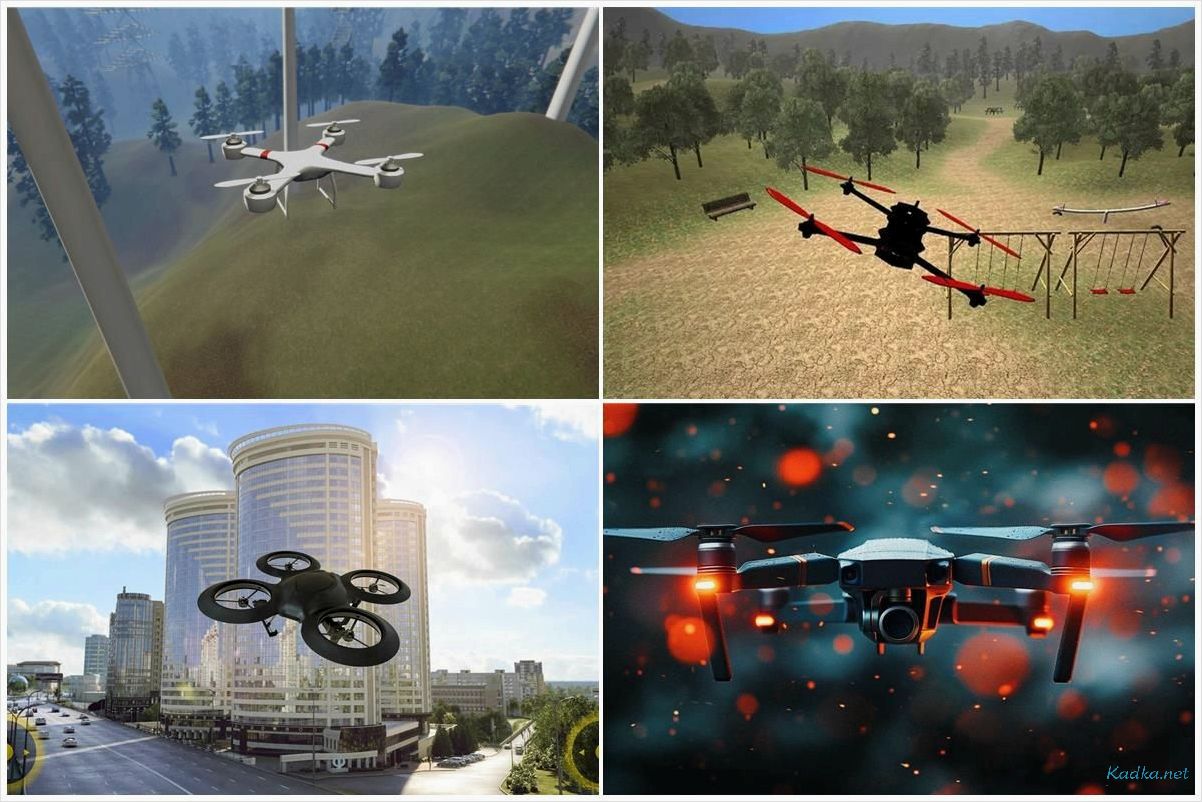
These simulators offer a wide range of scenarios, including flights in various terrain and weather conditions. They provide a unique opportunity to study the specifics of UAV control in challenging situations, such as strong winds, high-altitude areas, or densely populated metropolitan areas. This allows operators not only to perfect their aircraft controls but also to learn how automated navigation systems work and adjust their actions in real time.
The key advantages of using simulators include resource and time savings. Since training takes place in a virtual environment, equipment damage is eliminated, the need for physical drone maintenance is reduced, and the risk of accidents is minimized. This is especially important for commercial and professional UAV use, which requires high-precision control skills.
Incorporating drone flight simulators into operator training allows for a personalized approach based on skill level and specific task requirements. Such solutions become an integral part of professional training, ensuring their readiness to perform complex operations in real-world conditions.
Drone Flight Simulator: Selection and Benefits for UAS Operators
Choose a professional drone flight simulator with realistic physics and the ability to simulate various scenarios. This will allow UAV operators to quickly master the technical aspects of control, practice emergency procedures and improve their skills in difficult situations without risk to equipment and the environment.
Key Features for High-Quality Training
Modern flight simulators include support for real-life scenarios: control in conditions of strong winds, limited visibility or moving targets. It is highly recommended to choose solutions with the ability to create custom missions, which is especially useful for preparing for specific tasks. Automated feedback and detailed analysis of completed exercises will help you quickly identify errors and correct actions.

Some simulators integrate with real control panels, providing the closest possible experience to operating real drones. This is especially valuable for preparing to work with commercial or industrial UAS models.
Training Modes and Advanced Training
Choose simulators with several difficulty levels. For example, basic modes are suitable for beginners, while advanced scenarios, such as mission automation or flying in difficult conditions, are designed for professionals. The possibility of a collective training mode allows you to improve team communication and prepare for missions involving multiple operators.
Using a drone flight simulator significantly reduces training time, minimizes risks and makes it possible to safely learn skills in conditions that simulate real-life operation of a drone. This approach saves resources and increases the efficiency of operator training.
Functionality to simulate real flight conditions
To effectively train UAS operators, a drone flight simulator must provide tools that accurately replicate real-world flight conditions and scenarios. This allows the user to prepare for complex operations without putting equipment or the environment at risk.
Accurate Weather Conditions and Terrain Scenarios
- Simulate various weather conditions such as wind, rain, snow and fog to practice handling in challenging situations.
- Select terrain scenarios with real satellite maps that take into account trees, buildings, terrain and bodies of water.
- Simulate the time of day taking into account changes in lighting and visibility.
Drone Specifications Configuration
- Manage drone parameters such as motor power, battery capacity, cargo weight, and sensor type.
- Emulate the operation of GPS, gyroscope and other components to verify the correct interaction of them.
- Consider the failure of individual systems to train the operator to deal with problems.
In addition, the drone flight simulator allows the integration of scenarios that require the coordination of multiple devices. This is especially important for developing teamwork skills and managing complex missions. The practical benefit of such capabilities is to improve the accuracy and speed of decision making in real-world flights, regardless of the operator’s skill level.
Technical requirements and compatibility with specialized devices
For the drone flight simulator to function properly, it is important to ensure that you have the appropriate hardware in advance. Programs in this category require high-performance computing systems with support for modern graphics APIs, such as DirectX 12 or Vulkan. It is recommended to use central processors with at least 6 cores and a clock frequency of 3. 0 GHz, as well as discrete video cards with a memory capacity of 6 GB or more. This will allow the simulator to process data with high accuracy and minimal latency.
It also supports integration with specialized control devices, including joysticks, remote controls and FPV helmets, which is especially important for UAV operators. Before purchasing any hardware, check for certification of compatibility with the simulator you are using. For example, the solution must support operation with remote controls based on well-known data transfer protocols such as SBUS or DSMX.
Platform Compatibility
Most drone flight simulators are developed for Windows, less often for macOS or Linux. For correct operation on laptops, models with gaming graphics are used, since the built-in video cards may not be able to cope with the load. Check operating system requirements in advance to avoid startup problems.
Immersion Extensions and Equipment
Particular attention should be paid to the use of VR devices and tracking systems. Modern simulator models support the connection of VR helmets for more complete immersion, but they require equipment with minimal latency and high resolution. If you plan to use a virtual reality system, ensure that the computer’s specifications meet the minimum requirements of the headset manufacturer.
All of the above aspects allow operators to select optimal configurations and achieve maximum compliance of the training process with real-life drone operating conditions.
Using scenarios to work out typical and non-standard situations
For high-quality training of unmanned aerial systems (UAS) operators, it is recommended to use a drone flight simulator with the ability to create and configure multi-level scenarios. This functionality allows you to simulate not only standard operating conditions, but also non-standard situations typical of real flights.
Scenario Development and Customization
Scenarios should include dynamic changes in parameters such as weather conditions, systems failure, loss of communication with a base station, or unexpected obstacles along the route. Modern drone flight simulators allow you to develop an individual scenario taking into account the geographic data of the area, which is critical for practicing actions in a new zone. For example, training to fly in mountainous terrain, in a city or in a forest requires different system settings. The program should also support the ability to re-run scripts to analyze errors and fix them.
Reaction Practice in Unusual Situations
Creating scenarios for emergency situations, such as engine failure, battery overheating, or stabilization failure, helps operators develop the correct reactions without risking equipment. In addition, the software allows you to record operator actions and subsequent analytics, making it easier to improve your management skills. Practicing such situations regularly builds confidence and minimizes the likelihood of human error in real-world conditions.
Using simulators that support these scenarios allows operators to achieve a high level of training, closing knowledge and skill gaps. This is especially useful for learning to work under stressful conditions or with complex technical faults. Before choosing software, it is recommended to ensure that it has the appropriate features to suit your learning needs.